Updates from June, 2014

  • Adding bookmarks is now much easier

    4:08 pm on June 2, 2026 | 0 Comments Permalink | Reply
    Tags: , , , , , ,

    We’ve just rolled out an update to the Add Bookmark page, known as Easy Mode. We’ve had a lot of people request this, as they found the process of manually writing the Title field, including spintax {|}, to be overwhelming.

    This new mode will allow you to enter only the bare minimum fields while adding a bookmark, and the system will auto-generate the rest.
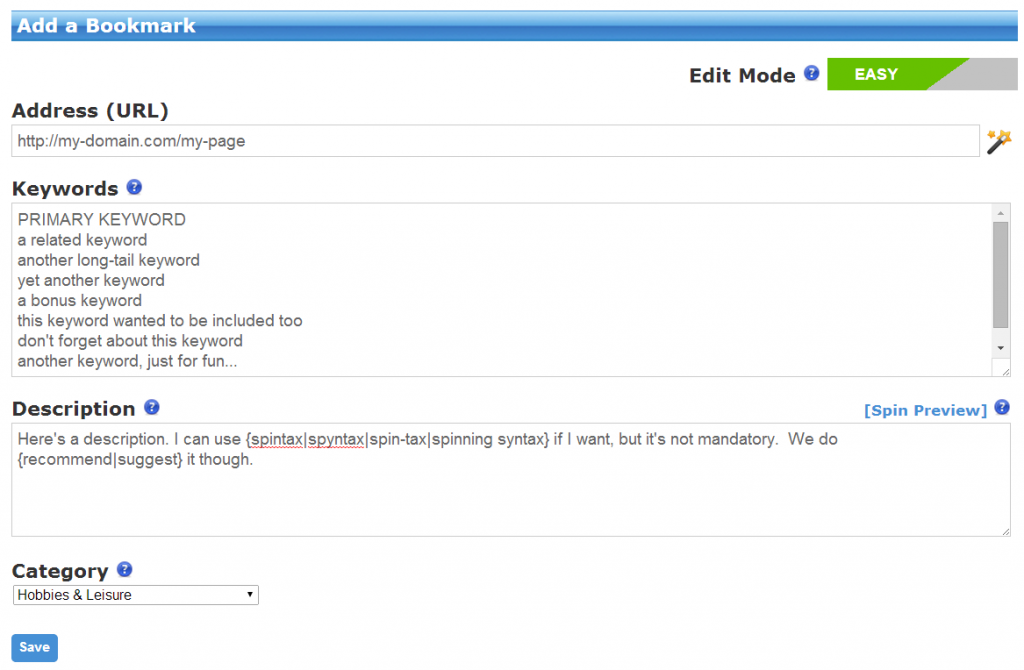
    SocialAdr - Add Bookmark - Easy Mode

    If you click the “Easy” button, it’ll switch to “Advanced” mode, which is the same ‘ol functionality that you’re accustomed to.

    SocialAdr - Add Bookmark - Advanced Button

    In “Easy” mode, simply paste a list of your keywords in the new Keywords field, one per line. Enter your primary keyword on the 1st line.


    Here’s how the old fields are being auto-populated:

    Title

    The hidden Title field typically becomes the anchor text for any social media backlinks you’ll receive.

    The approximate weighted values of the auto-generated Title field are:

    • 40% keywords
    • 40% URL and its variations (non-http, http, domain only)
    • 20% generic terms

    These values were chose in order for your backlink profile to appear as natural as possible.

    Tags

    The hidden Tags field is generated from your Keywords.

    Submission Rate

    This field will be hidden in “Easy Mode” and defaulted to “Normal”.

    Submission Limit

    This field will be hidden in “Easy Mode” and defaulted to <blank> (no limit).

    Microblog Message

    Your Keywords are used to generate the microblog message, using spintax {|}.


    After adding a bookmark in “Easy” mode, you can go back and edit it in “Advanced” mode, to have access to every field again, and full control over all its properties.

    Let us know how you like it!


  • App Privacy Now Available

    7:15 pm on May 21, 2026 | 0 Comments Permalink | Reply
    Tags: , , , , , ,

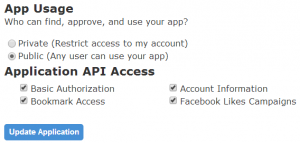
    We’ve just added the ability to set your apps to be “private” or “public”. This will help app developers who want to use the SocialAdr API for personal, reseller, or whitelabel reasons, and don’t want the general public to have access to their application.

    Here’s what the new setting looks like:

    SocialAdr app privacy settings

     
  • Updates to My Bookmarks page

    7:09 pm on February 23, 2026 | 0 Comments Permalink | Reply
    Tags: , , ,

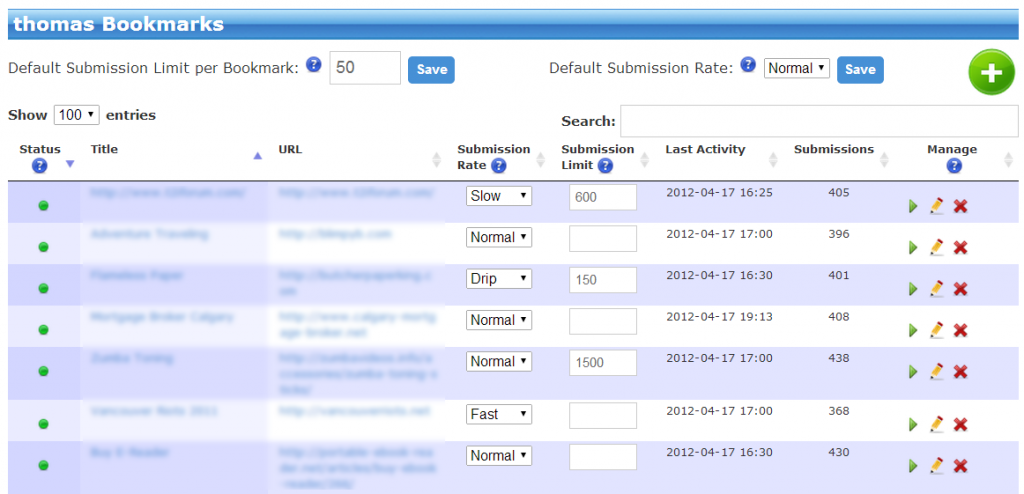
    We listened to your requests and made it much easier to update the Submission Rates and Submission Limits of existing bookmarks.

    My Bookmarks - New Submission Control Fields

    If you go to your Bookmarks > My Bookmarks page, you’ll notice two new columns: “Submission Rate” and “Submission Limit”. You can use these to quickly update these attributes of your bookmarks.

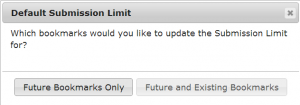
    Also, if you attempt to update the Defaults at the top of the page, you’ll notice a popup window like this:

    Default Submission Update Dialog

    This allows you to either mass update all your existing bookmarks AND future bookmarks, or just your future bookmarks.

    As always, let us know what you think :)

     
  • SocialAdr v2.746 Released

    7:07 am on January 3, 2026 | 0 Comments Permalink | Reply
    Tags: , , , , , , , ,

    Happy 2014!

    We’ve just rolled out SocialAdr v2.746, which includes:

    • New 6 month and Annual billing periods available for subscriptions, see Upgrade page. These are discounted at 10% and 25% on top of whatever other discounts you may receive, so it’s a heckuva deal.
    • Bug fix related to Twitter tweets
    • New social media site added (check home page for complete list)
    • Improved reliability for Pinterest connector
     
  • SocialAdr WordPress Plugin

    9:17 am on December 4, 2025 | 0 Comments Permalink | Reply
    Tags: ,

    The new SocialAdr WordPress Plugin is the easiest way to integrate your WordPress blog with your SocialAdr account. And that means it’s the easiest way to automatically promote your blog posts to the top social media sites.

    Get it here:

    http://socialadr.com/pg/apps/wordpress-plugin

     
c
compose new post
j
next post/next comment
k
previous post/previous comment
r
reply
e
edit
o
show/hide comments
t
go to top
esc
cancel